Slack Training
User Adoption, Productivity, and Admin Training for Your Team
Implementology delivers live virtual Slack training across three tracks, user adoption, user productivity, and admin training, as either a single session or a multi-session program. Every engagement includes documentation built around how your workspace is actually set up, plus daily tips and tricks afterward so the training keeps paying off instead of fading after one session.
Why Slack training matters?
-
Low adoption after purchase: a workspace gets set up, but without training, teams drift back to email and chat sprawl instead of building the habit of working in Slack.
-
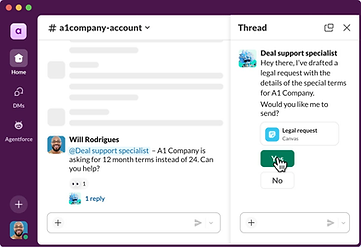
Underused features: search operators, Canvas, Workflow Builder, and plan-specific AI features go untouched when nobody's shown what they can actually do.
-
Admin turnover and feature drift: a new admin inherits a workspace nobody explained, or an existing admin is running a plan that's gained features since they last learned it.
Most Slack adoption and productivity problems aren't licensing problems, they're training problems, teams either never built the habit of working in Slack instead of email, or they're sitting on features (search, canvases, workflows, AI tools) they were never shown how to use.

From setup to adoption. All in one place.

What's included in every training engagement?
A single session typically runs 60-90 minutes; a multi-session program is scoped to the number of tracks and audiences involved, most commonly 3-6 sessions across a few weeks for a phased rollout.
-
Live virtual training: delivered in real time by our team over video call, not a pre-recorded course, so your team can ask questions specific to how they actually work.
-
Associated documentation: written around your actual workspace configuration, channel structure, and permissions, rather than generic Slack help-center material.
-
Daily tips and tricks: short, practical tips delivered on an ongoing daily cadence after training ends, to reinforce what was covered and surface features gradually instead of all at once.
Build Slack fluency. One session at a time.
Who this is for?
Every track is available as a single focused session or as a multi-session program, depending on the size of the rollout and how many audiences or topics you need covered.
-
New Slack customers: often paired with our Slack Quickstart Package, training rounds out the technical setup with the habit-building and skill-building Quickstart's admin handoff alone doesn't cover.
-
Existing teams with low adoption: organizations that bought Slack a while ago but never saw real day-to-day usage take hold.
-
Teams onboarding a new admin: whether replacing someone or adding a second admin for a growing or multi-workspace org.
-
Post-migration or post-upgrade teams: organizations that just moved workspaces, merged into Enterprise+, or upgraded plans and gained features nobody's been shown yet.
Setup, skills, support, all in one Slack training plan.
Our three training tracks


FAQs
CLIENTS
Trusted by innovative teams worldwide.